Learning management systems (LMS) are in high demand as companies navigate rapid changes. Skills gaps are growing, with nearly 40% of skills poised to change by 2030, and artificial intelligence (AI) demands new skill sets. The World Economic Forum’s Future of Jobs Report 2025 finds that skills gaps are the single biggest barrier to business transformation for 63% of employers. At the same time, hiring the right people isn’t easy — 71% of U.S. companies say they’re having difficulty.
It’s no wonder that 85% plan to prioritize workforce upskilling in response. In this environment, you can’t rely on traditional static training. You need flexible tools that help your people build the right skills quickly and give leaders a clear view of learning across the company.
Choosing the right learning platform used to be about speed and convenience. Now, it’s a key strategic decision. This guide highlights the most important LMS features that help you deliver impactful, scalable, and data-driven training programs.
What Is a Learning Management System (LMS)?
A Learning Management System (LMS) is software that helps you plan, deliver, and track training in one place. It’s the hub for your learning and development (L&D) programs — from new hire onboarding and compliance courses to ongoing skills development and leadership training.
Instead of juggling slide decks, sign-in sheets, and manual reminders, an LMS centralizes your content and automates the admin work. You can enroll learners, assign courses, monitor progress, and report on results in just a few clicks. That frees your team to focus on what really matters: building effective training that supports your people and your business goals.
There are also different types of LMS, from cloud-based and corporate-focused systems to solutions built for extended enterprise or customer education. Understanding these options makes it easier to choose a platform that aligns with how your organization hires, onboards, develops, and retains talent over time.
LMS vs. LXP
As you evaluate learning platforms, you’ll often see two acronyms side by side: LMS and LXP. They sound similar, but they serve different — and complementary — purposes in your learning strategy.
A Learning Management System (LMS) is admin-led and built for structure. It’s ideal for mandatory, trackable programs like compliance training, safety courses, and standardized onboarding. In an LMS, your team assigns content, sets due dates, tracks completions and scores, and generates reports for managers and auditors. It’s about control, consistency, and proving that required training happened.
A Learning Experience Platform (LXP), on the other hand, is learner-led and built for engagement. Instead of only pushing assigned courses, an LXP makes it easy for employees to explore content based on their interests, role, and career goals. It often includes features like personalized recommendations, social learning, and user-generated content. An LXP is like a streaming service for learning, encouraging curiosity and continuous development.
For most organizations, it’s not LMS or LXP — it’s how the two work together. The strongest approach pairs the LMS for structured, compliance-focused learning with LXP-style features that keep employees engaged, support self-directed growth, and help you build a true culture of continuous learning.
Why Investing in a Learning Management System Makes a Difference
A strong LMS does far more than store training videos. It solves real business challenges by connecting learning programs directly to your talent strategy and bottom line.
An LMS:
- Scales effortlessly across your organization, delivering consistent training to 50 employees or 5,000 worldwide without extra effort.
- Boosts retention by showing employees clear paths for growth. Trained workers are 41% less likely to leave.
- Helps your business grow — frontline workers increased goal achievement by 10% after training.
- Makes compliance automatic, protcting your company from fines with deadline reminders and audit-ready reports.
The best LMS turns guesswork into data-driven decisions. Advanced analytics reveal skills gaps, popular courses, and training ROI. You can prove L&D's value to leadership and focus resources where they matter most.
Finding and keeping top talent has never been more competitive. Your LMS is your competitive edge for building a skilled, engaged workforce.
14 Essential Features of a Learning Management System
What features of an LMS are nonnegotiable for your organization? When evaluating vendors, it's easy to get distracted by flashy add-ons. Stay focused on these 15 must-haves that deliver real results for your training programs.
1. Intuitive User Experience
Your learners need to find courses fast, or they won't complete them. A clunky interface kills learner engagement before it starts. Look for clean, modern designs that make online learning like everyday apps, with simple navigation that requires zero training.
Make sure the UX for your L&D team is just as good. Evaluate course creation, dashboard access, reporting, and more to experience the platform from both sides.
2. Learning Content Creation & Management
Rigid systems limit your creativity. The best LMS platforms let you build interactive modules, upload your own training materials, and organize everything in easy-to-update libraries. Update one slide without reuploading entire courses and save hours of admin time.
3. Automated Assessment & Quizzing
Knowing if training sticks is crucial. Create multiple-choice, true/false, or open-ended questions with instant auto-grading and feedback. Spot weak areas instantly, like when 80% of your team fails a compliance module, and refine content fast.
4. Advanced Reporting & Analytics
Basic completion rates won't impress leadership. Your L&D team needs dashboards that track trends, drop-off points, and performance correlations. Schedule automated reports for managers to keep training visible across departments.
5. Personalized Learning Paths
One-size-fits-all training wastes time. Build role-specific journeys for sales reps, engineers, or managers that match career goals. Guide learners through the most relevant content, turning a content library into a clear roadmap for growth.
6. Mobile Capabilities
Many workers are on the go, and they need learning that fits their schedule. Responsive design or a dedicated app enables anytime access for road warriors or frontline staff. Support just-in-time learning activities, like reviewing a product guide before a client call or safety information before operating a machine.
7. Collaborative Learning Tools
Learning thrives on collaboration. Include forums, peer reviews, and knowledge sharing to build community. Capture institutional knowledge from subject matter experts and let employees participate in discussion. You can even offer blended learning experiences that mix in-person training with online courses.
8. Support for Different Learning Styles
People learn differently — visual, auditory, hands-on, or reading/writing. Choose an LMS that offers diverse content formats like videos, podcasts, interactive simulations, infographics, and text-based modules. Mix formats within courses to engage all learners and boost knowledge retention across your diverse workforce.
9. Integrations
Siloed systems create chaos. Seamless connections to your HRIS auto-enroll new hires and remove terminated users. Link to Slack, Teams, or CRM tools to embed learning in daily workflows without app-switching.
10. Security & Data Privacy
You're handling sensitive employee data. Prioritize SSO, GDPR/SOC 2 compliance, and role-based access. Your IT team needs ironclad protection without sacrificing user experience.
11. Notifications & Reminders
Busy employees forget deadlines. Custom alerts for assignments, due dates, and manager escalations ensure learner progress and compliance without manual chasing. Set it once and automate high completion rates.
12. User Management & Roles
Growing teams need control. Define admin, manager, instructor, and learner roles with granular permissions. Let department heads track their teams without accessing other groups' data.
13. AI-Powered Learning Tools
AI transforms L&D scale. Get smart course recommendations, auto-generated quizzes, and content tagging. An AI-powered LMS personalizes at scale like Netflix does for video, without manual effort.
14. Adaptive Learning & Customization
Static paths are boring for advanced learners and overwhelming for beginners. Real-time adjustments based on performance serve extra resources or skip basics. Add your branding to the platform and make it feel like home for your company culture.
15. Comprehensive Certification & Compliance Tracking
Some certifications and training modules are legal musts, not nice-to-haves. Track expirations, auto-assign recerts, and generate instant audit reports. Stay compliant effortlessly across thousands of employees.
16. Part of a Complete Talent Platform
Don't settle for standalone learning software. Look for an LMS embedded in a talent platform where performance, recruiting, onboarding, and employee data live in one unified system. Connect skills development to hiring decisions, performance reviews, and retention strategies for true end-to-end talent visibility.
Get Serious About Your LMS Strategy
In a skills-first world, the right Learning Management System is the backbone of your talent strategy. With widening skills gaps and fierce competition for talent, these 16 essential features separate good training programs from ones that actually drive business results.
Don't buy point solutions that create data silos. Choose an integrated LMS that connects learning to your full talent lifecycle.
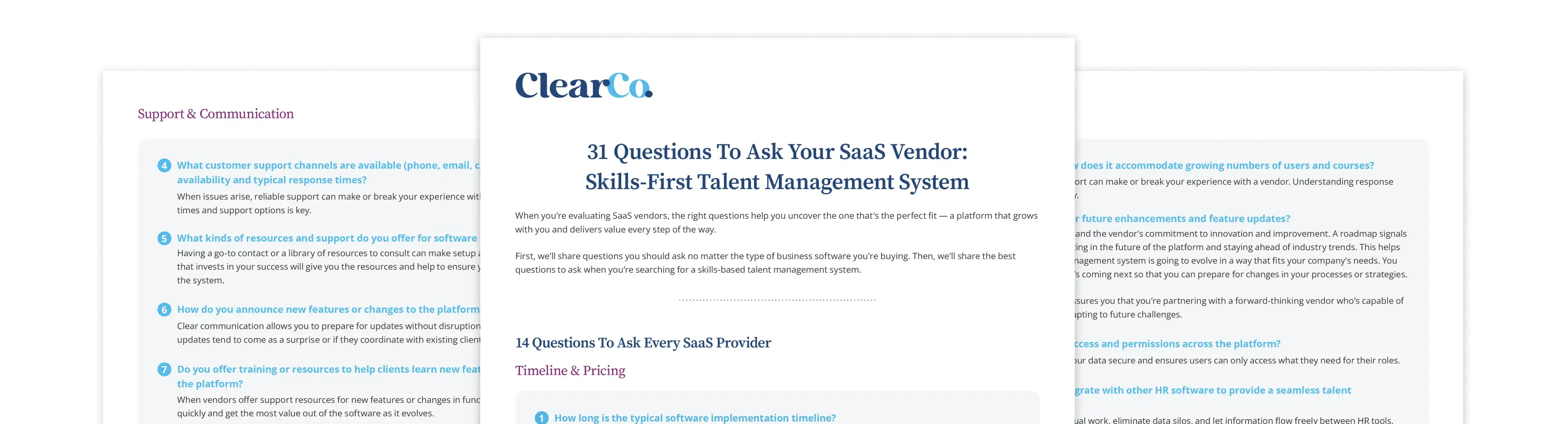
Download ClearCo’s 31 Questions for SaaS Vendors: Skills-First Talent Management to ask the right questions and find a platform that unifies your hiring, performance, learning, and retention efforts. Build the future-ready workforce your organization needs.
.png)